Mindwtr QuickAdd
An actually good pop-up quick-capture window for Mindwtr todo.The issue
I recently started using Mindwtr as my todo and project management app and really like it. However, the quick add feature it comes with is not good (to me). First of all, the default shortcut is ctrl+alt+m and you can only choose between like 2-3 others that seemed even worse. But the feature itself, once summoned, is really basic and doesn’t look very good either. I was coming from todoist and was wanting something that was as easy to use (ctrl+space), is minimal, looks decently good, but has many great QoL features (see below)
Overview
Press a global shortcut (eg Ctrl+Space), type a task in Mindwtr’s Quick Add syntax, press Enter, and the task lands in the running Mindwtr desktop app through its Local API. The window then hides again.
It uses Mindwtr’s own parser, so everything you type is read exactly the way Mindwtr reads it. It’s an unofficial companion, not affiliated with the Mindwtr project, and AGPL-3.0 like Mindwtr.
Features
- Suggestions: after
!,+,@or#, a list of your areas, projects, contexts or tags opens. - Tab completes commands, shell style:
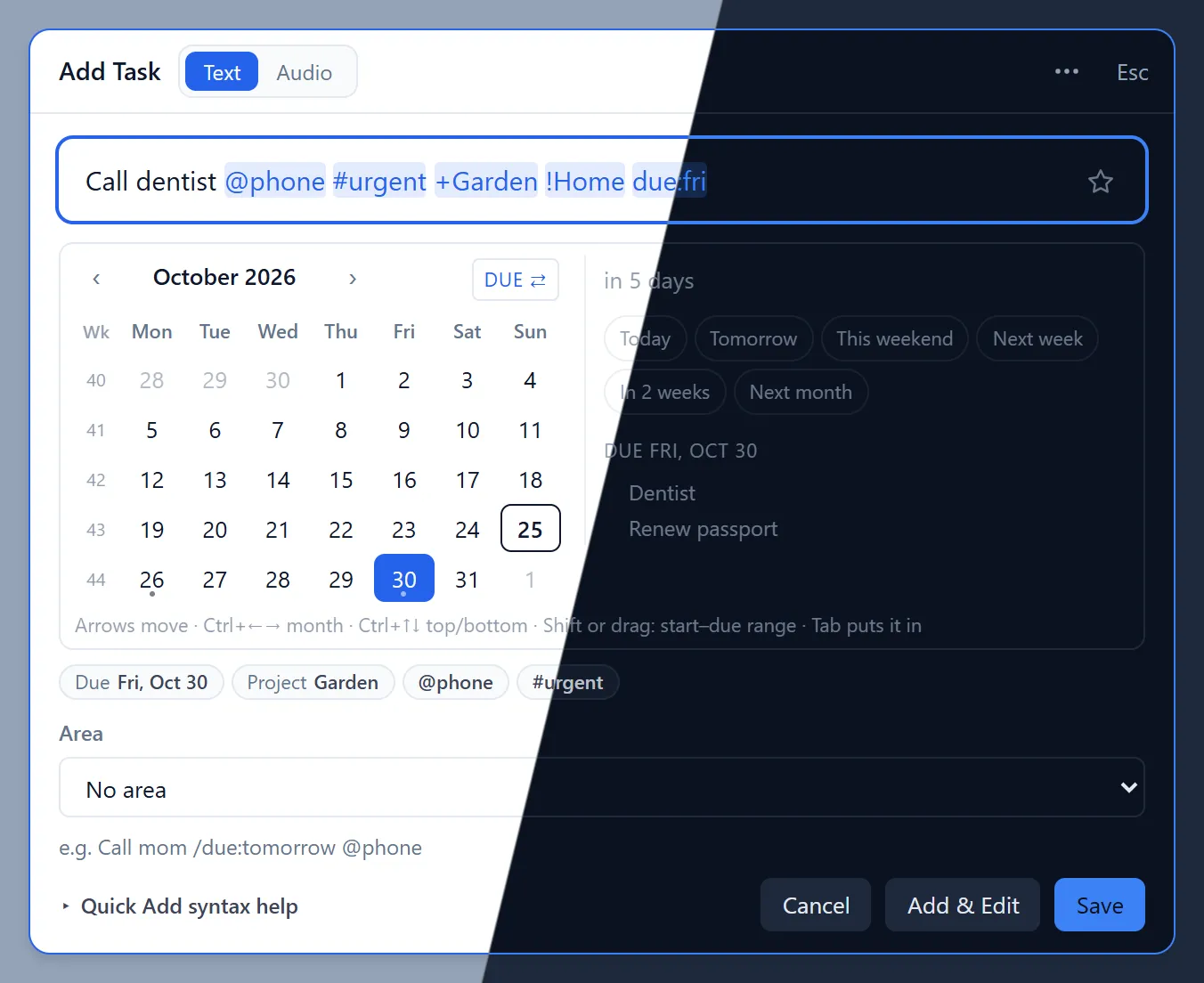
d→/duration:→due:, and Tab again picks today. - Keyboard calendar after
due:,start:orreview:. Shift+arrows or a mouse drag pick a start-to-due range, and a side panel shows how far away the date is and what’s already due that day. - Shortcuts on top of Mindwtr’s syntax:
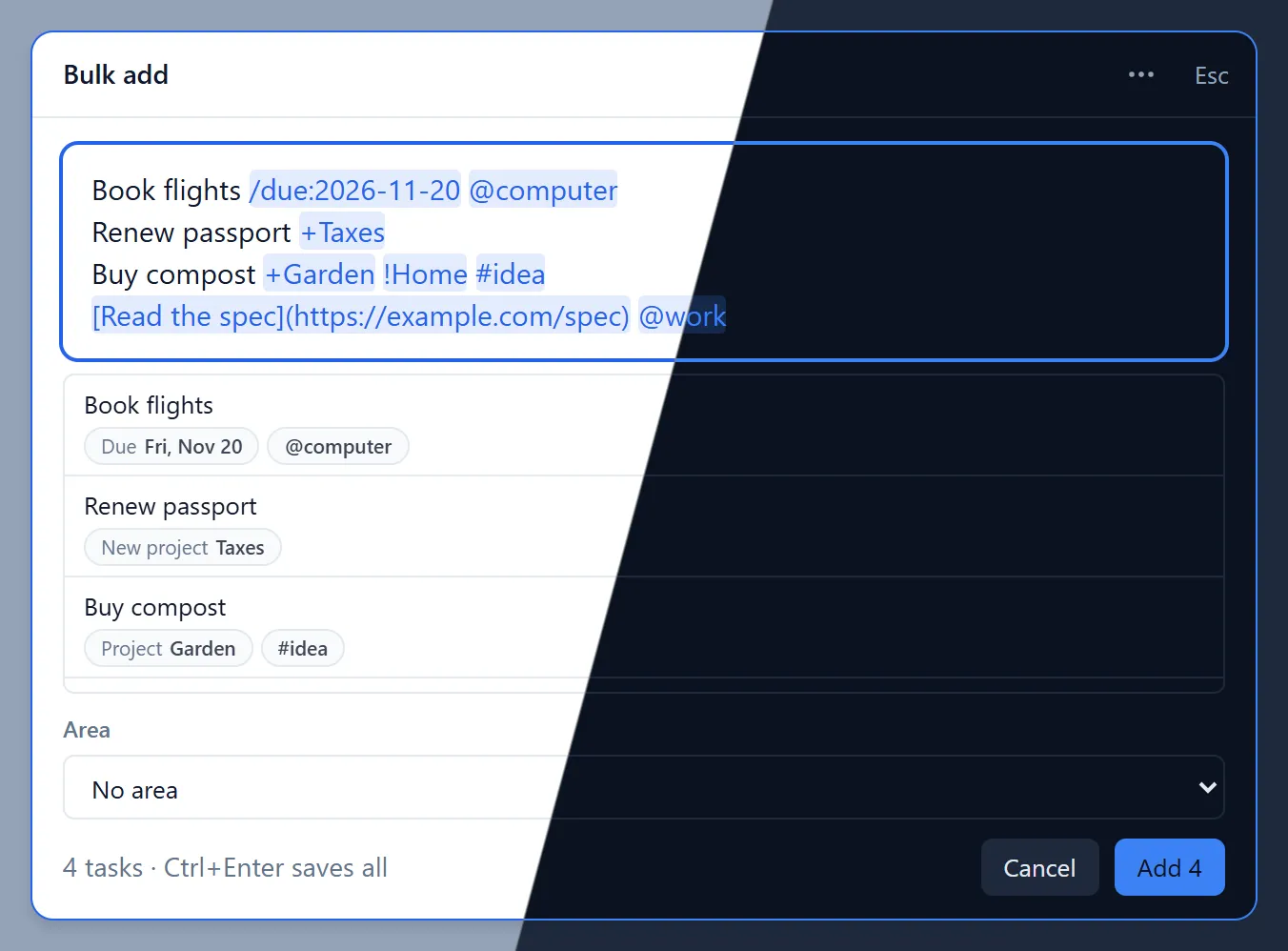
!1–!4for priority,td/tmrwfor today/tomorrow, and[label](https://…)links. A+Projectthat doesn’t exist yet is created in Mindwtr. - Bulk add: one task per line, each parsed and previewed before saving. You can also import a .txt file.
- Audio notes: records a voice note and creates a task with the recording attached.
- Add & Edit (Ctrl+Enter) saves the task and opens it in Mindwtr’s editor.
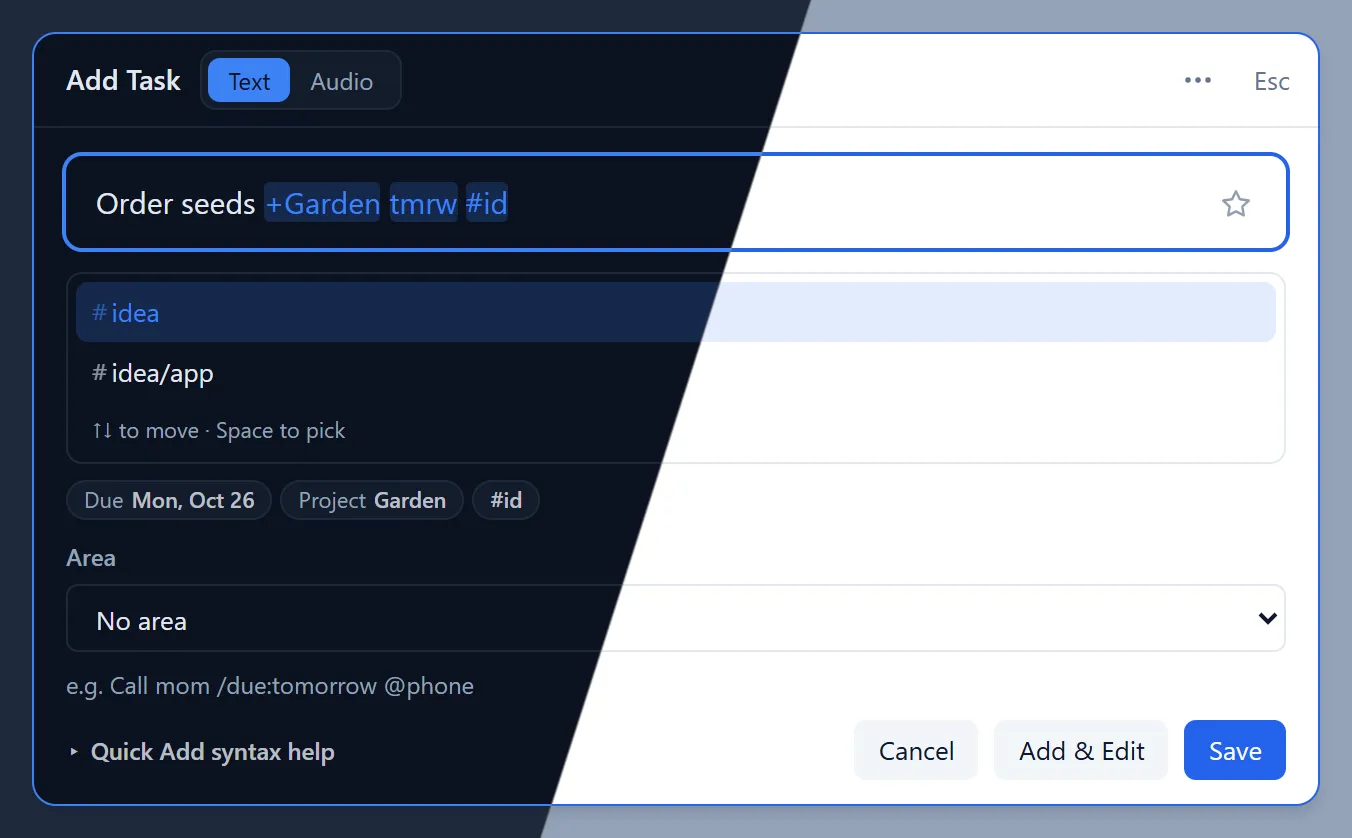
+Project, @context and #tag, plus tmrw parsed as a due date.